This removes all html tags, javascript, CSS etc leaving you with nicely formatted clean text.
No text is stored by this tool. Everything is processed locally in your browser, so no-one except you can view your content.
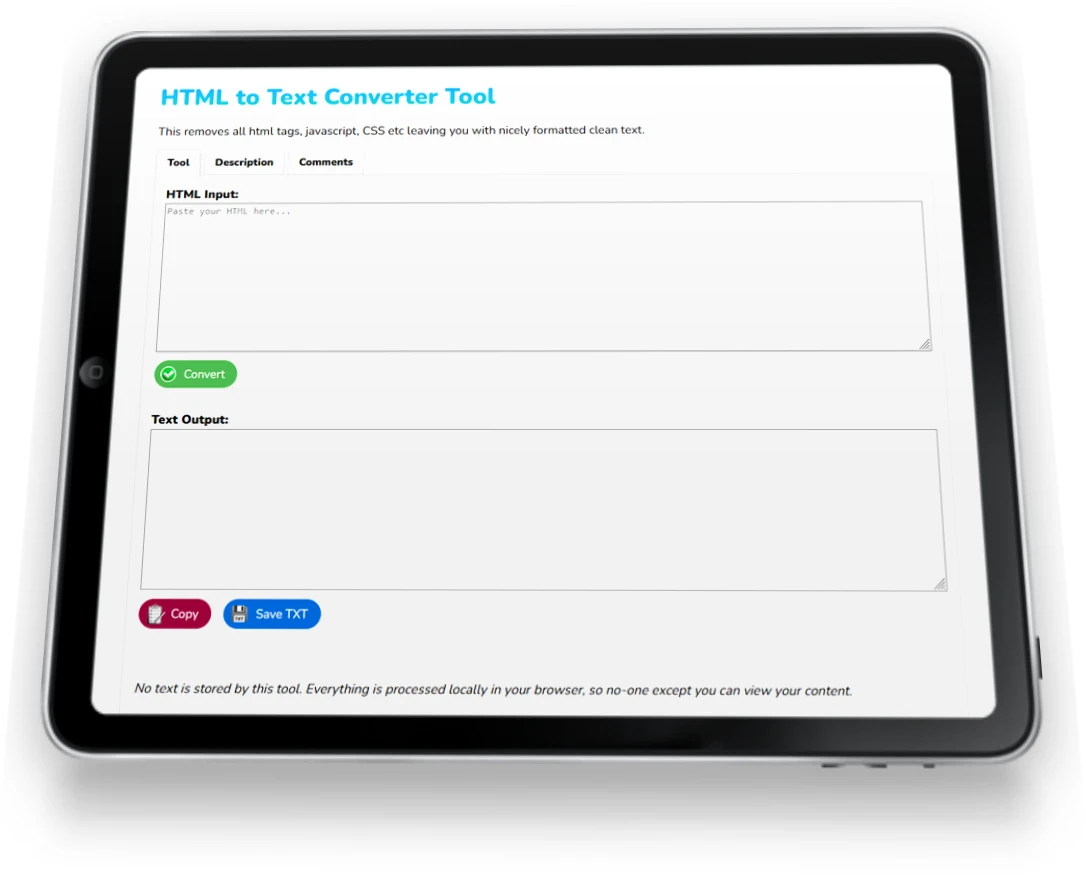
Here you'll find my html to text convertor, an online utility built in javascript that does pretty much as the name suggests.
It takes your html source code, strips out all the tags, scripting and css and outputs some nicely formatted plain text.
Want to extract all the content from your webpage or website?
Chuck your source code in here, click Process and it'll grab it all for you.
Or if you want to analyse a competitor's page content, then you could do that too.
It isolates the html body content by default, so no need for you to edit your input to remove meta tags and title etc.
Just 3 simple buttons, saves you manually cutting and pasting (or search and replacing) to get the text manually.
How to use:
As per the rest of my web tools, this is built in javascript and it's all processed locally in your browser. Nothing is shared and all your content is kept private.
Oh, and I've also built a word frequency tool (calculates the count and percentage of each word, listed in order of use) and a word count utility (yep, this counts the number of words, but also sentences, paragraphs, characters and lines as well) to help analyse the breakdown of your content.
Or if you wish to extract all the links in your html, then I have a tool for that.
Leave me a review, make a suggestion for improvements etc. Thanks, Joey
View more of my web design tools below, or return to my homepage.
Here are a selection of web design tools I've created to save you time when developing websites.
CSS Code Formatter - this tool formats your CSS code into neat single lines for easy efficient editing
E-mail Extraction Tool - Extract e-mail addresses from text or HTML, remove duplicates, filter, sort, and export as txt or csv.
HTML Cleaner - this formats & optimises HTML code online, removing scripts, ids, classes etc leaving the raw clean code behind.
List Comparison - Compare 2 lists online to find duplicates, identify unique items from each list, and merge lists with duplicates removed. You can also alphabetise lists & copy them to clipboard.
List Management - Edit a list online with my free management tool - Search & replace, change order & case, delete lines by keywords, trim lines, remove numbers & letters, add a suffix and prefix to each item in your list, and download the end results!
Remove Accents & Special Characters - Convert accents, diacritics & special numbers to clean, plain text, which you can save or copy to clipboard.
Remove Extra Spaces - Remove extra spaces from your text, as well as empty lines, leading & trailing spaces from each line. Or add double spaces (or new lines) after each sentence. Or remove every single space!
Search & Replace Tool - with multiple search and replace inputs, Undo action, Revert back to the original text and Copy to clipboard. You can also specify whether searches should be Case Sensitive and/or whole words.
URL Extraction Tool - Extract all URLs from HTML or Text input. Duplicates are removed, convert to lowercase, Sort A-Z, Remove Internal URLs, and Copy to Clipboard.
Word Count - Calculate the number of paragraphs, sentences, lines, words and characters within your text.
Word Frequency - Count the most frequently used words / keywords from within your HTML or Text. You can automatically exclude common words such as "the" & "and".

I'll send you a FREE Quote!
No obligation whatsoever.
I just need a few details :)